Phonect is an innovative motion detection engine,
which utilizes the iPhone''s frontal camera and advanced image processing, to track your real time movements as you
move around.
-
Extremely easy integration for developers.
-
Can track hand, head, body - it all depends on your need.
-
Real-time processing of live video capture.
-
Includes a designated UI framework, based on existing iOS components.
A showcase for Phonect is available on the AppStore
here
. The showcase presents just some of the awesome things you can do with the engine. It is completely
free
and will let you experience moving a cursor around with your hand, controlling 3D objects with your head, and jumping around as the engine responds accordingly.
Our promotional video:
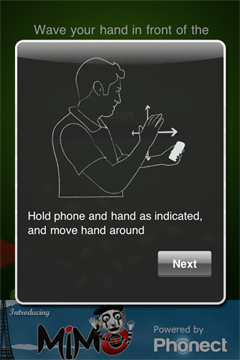
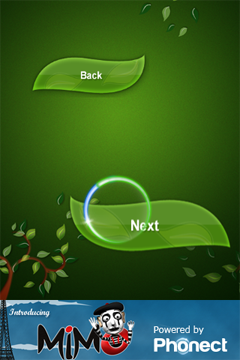
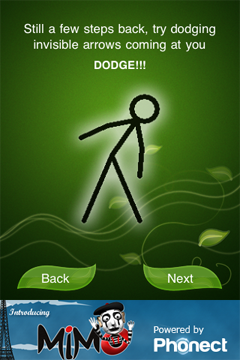
Some screenshots:
Holding instructions
Controlling a cursor
Dodging infront of the device
The engine was built with simplicity in mind, and offers an instant out-of-the-box development experience. It is designed modularly, so you can utilize just the parts that interest you:
-
Have a full blown UI engine, that completely takes care of the cursor, and notifies you about its movement, clicks, and more.
-
Use the same UI engine, but provide a different visualization view to achieve your personal look.
-
Disregard all of the above, and just receive live notifications on object motion detected by the camera.
Following are few code snippets to demonstrate the use of the engine:
Register with low-level engine, for raw motion notifications
/* Register to Phonect raw motion notifications */
If all you''re after is a motion controlled cursor, just add a visualization view to your window, and set the required buttons.
The visualization view comes with a default cursor image and animation, though these can be changed to your own custom graphics.
Birth - Mazal Tov! What's Next?
We''re dubbing this first release as "Birth". It is the first version to appear in public space, and is the biggest offspring of our
Labs
incubator.
While solid and complete on its own, Phonect can still grow in many ways. We are waiting for user and app developer feedback, to know which way to take it. Here are just a couple of directions it could go:
-
Detect more than one object
- Detect a specific object, that could be set by user
- Build a richer gesture framework
- Build a richer UI framework
- Optimize current detection performance
We''ll be offering the engine for purchase soon. Customers will be informed of up coming changes, and could influence the direction of further development.